
Radni kutak u malom stanu: desk setup koji smanjuje bol u leđima i zamor (vodič za 2026)
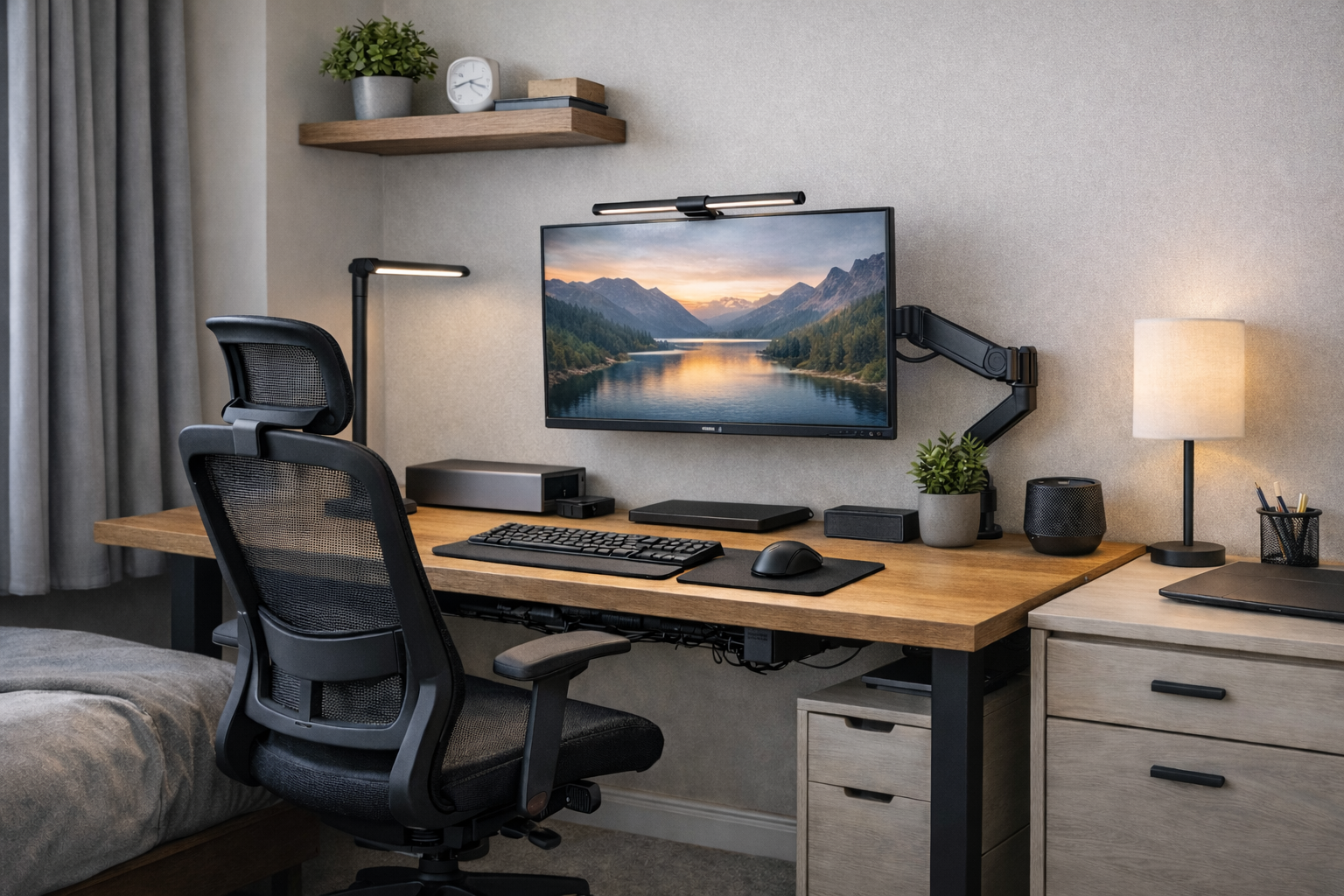
Radni kutak u malom stanu retko je problem discipline ili fokusa. U praksi, bol u donjem delu leđa, peckanje u očima i mentalni zamor najčešće dolaze od pogrešne kombinacije stola, stolice, monitora i osvetljenja. Kada radiš 6–8 sati dnevno u prostoru koji nije projektovan za rad, telo vrlo brzo počinje da šalje signale.
Ovaj vodič ne govori o „lepim“ setupima za Instagram. Fokus je isključivo na proverenim, dostupnim i realnim rešenjima koja funkcionišu u malim stanovima na Balkanu.
Zašto radni kutak u malom stanu pojačava bol i zamor?
Mali prostor ne prašta greške. Ako je sto previsok, ramena su stalno zategnuta. Ako je monitor prenisko, vrat trpi konstantno savijanje. Ako je svetlo loše, oči se naprežu satima. Sve to se sabira i pretvara u hronični umor.
Problem gotovo nikad nije jedan element – već njihova kombinacija.
Monitor i nosač: osnova ergonomije u malom prostoru
U malom stanu najveća greška je veliki monitor postavljen direktno na sto. Ako sediš bliže od 60–70 cm, ekran veći od 27” često izaziva zamor očiju.
Preporučeni modeli monitora (realno dostupni):
- Dell P2723QE – 27”, IPS, odličan za tekst i višesatni rad
- LG 27QN880 – dolazi sa fabričkim monitor armom (velika prednost)
- ASUS ProArt PA278QV – ako radiš i dizajn ili obradu slike
Nosač za monitor nije luksuz. Modeli poput Ergotron LX ili povoljnije alternative sa Amazon.de oslobađaju sto i podižu ekran u liniju očiju, što odmah smanjuje bol u vratu.
Osvetljenje: najčešći uzrok peckanja u očima
Rad sa jednim plafonskim svetlom gotovo garantuje zamor očiju. Rešenje nije jača sijalica, već osvetljenje radne površine bez refleksije u ekran.
Proverene monitor lightbar lampe:
- BenQ ScreenBar – industrijski standard, ravnomerno osvetljenje
- Quntis Monitor Light Bar – povoljnija alternativa, vrlo popularna na Amazon.de
Razlika se primeti već prvog dana rada, posebno u večernjim satima.
Sto: IKEA rešenja koja imaju smisla u malom stanu
Podizni stolovi zvuče primamljivo, ali u malom prostoru često ostaju neiskorišćeni. Ako nemaš prostor da se stvarno pomeraš dok stojiš, fiksni sto je racionalnija opcija.
Preporučeni IKEA stolovi:
- IKEA LAGKAPTEN + ADILS – jednostavan, lagan i idealan uz monitor arm
- IKEA TROTTEN (ručna regulacija) – dobra opcija bez elektronike
Stolica: zašto „gaming“ modeli prave više štete nego koristi
Gaming stolice su dizajnirane za izgled, ne za zdravlje. U malim stanovima zauzimaju previše prostora i guraju telo u neprirodan položaj.
IKEA stolice koje zaista rade posao:
- IKEA MARKUS – najbolji odnos cene i ergonomije
- IKEA JÄRVFJÄLLET – više podešavanja, bolja lumbalna podrška
Obe su daleko bolja investicija od „lepih“ stolica koje uništavaju leđa.
Kablovi i vizuelni haos: skriveni uzrok stresa
U malom prostoru vizuelni nered stalno opterećuje mozak. Kablovi u vidnom polju povećavaju kognitivni zamor.
Kanali za kablove ispod stola, nosači za produžne kablove i minimalan broj uređaja prave ogromnu razliku u fokusu.
Kako mentalno „zatvoriti“ radni dan u malom stanu
Kada posao ostaje u vidnom polju, mozak ne prelazi u režim odmora. Rešenja poput sklopivog stola, rolo pregrade ili jednostavnog prekrivanja radne površine imaju snažan psihološki efekat.
Zaključak
Ergonomija u malom stanu nije luksuz. To je osnovni uslov da radiš bez bola, zamora i mentalne iscrpljenosti.
Pravilo je jednostavno: manje stvari, ali prave – i svaka ima svoju funkciju.
Možda će ti značiti i naš vodič o digitalnom burnoutu, jer fizički i mentalni zamor gotovo uvek idu zajedno.